
Have you ever felt like you’re juggling a dozen different things at once? Maybe you have a pile of sticky notes on your desk, random lists saved in your phone, and a to-do list that lives only in your head. For most of my life, that was me. I’ve always been a pretty organized person, but the beautiful, messy chaos of everyday life can still feel overwhelming. In our lives, there’s so much going on, and everyone has a different system to keep on track of their own things. After years of searching and experimenting with different tools and methods, I finally found a system that works for me, and it all revolves around one simple, powerful tool. I truly handle my whole life in Notion, and here is why.
Organizing has always been a big part of my life. I’ve always been a structured person, and I’ve always loved having an overview of my stuff. When I first discovered Notion, I was completely blown away. For those who might not know, Notion is a versatile workspace app that allows you to write, plan, organize, and collaborate. It was exactly what I needed to have a more organized place for my whole life and everything in one place. For years now, Notion has been my go-to platform to organize and structure my entire life.
Dashboards
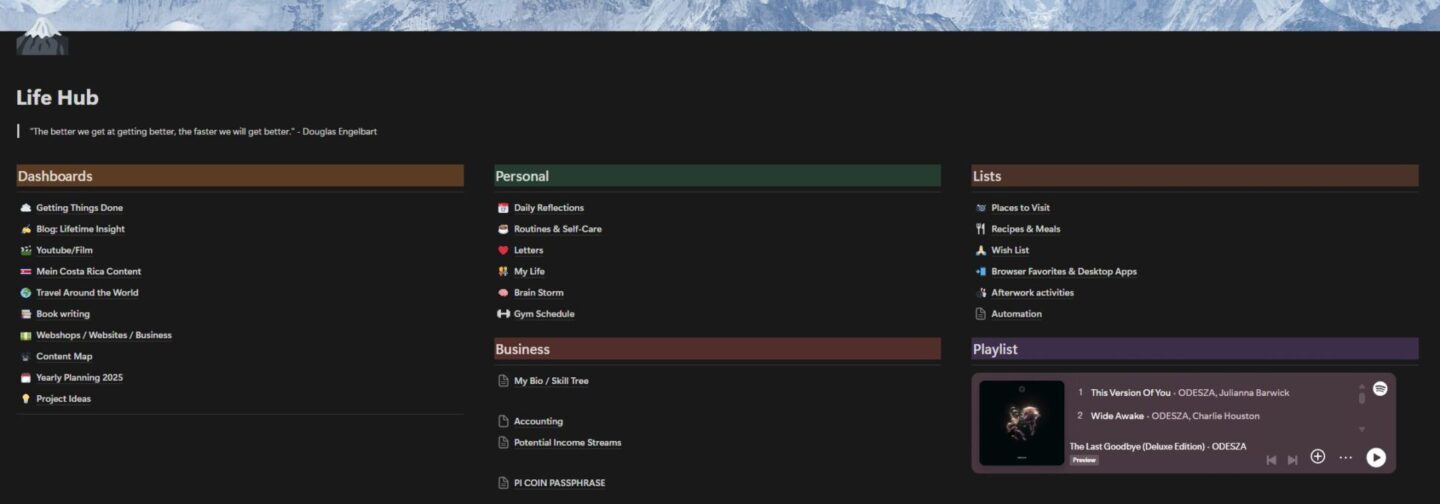
You might wonder how I manage all of this within one app. Well, I have different databases for different parts of my life. The centerpiece of my Notion account is what I call my
“Life Hub,” which is an overview page with all my databases and more specific topics. The whole hub is divided into different sections: one with all my dashboards, one with my personal stuff, and one for business-related projects. I even have a playlist embedded for the perfect mood, as well as an overview of all the lists I keep.
Getting Things Done:
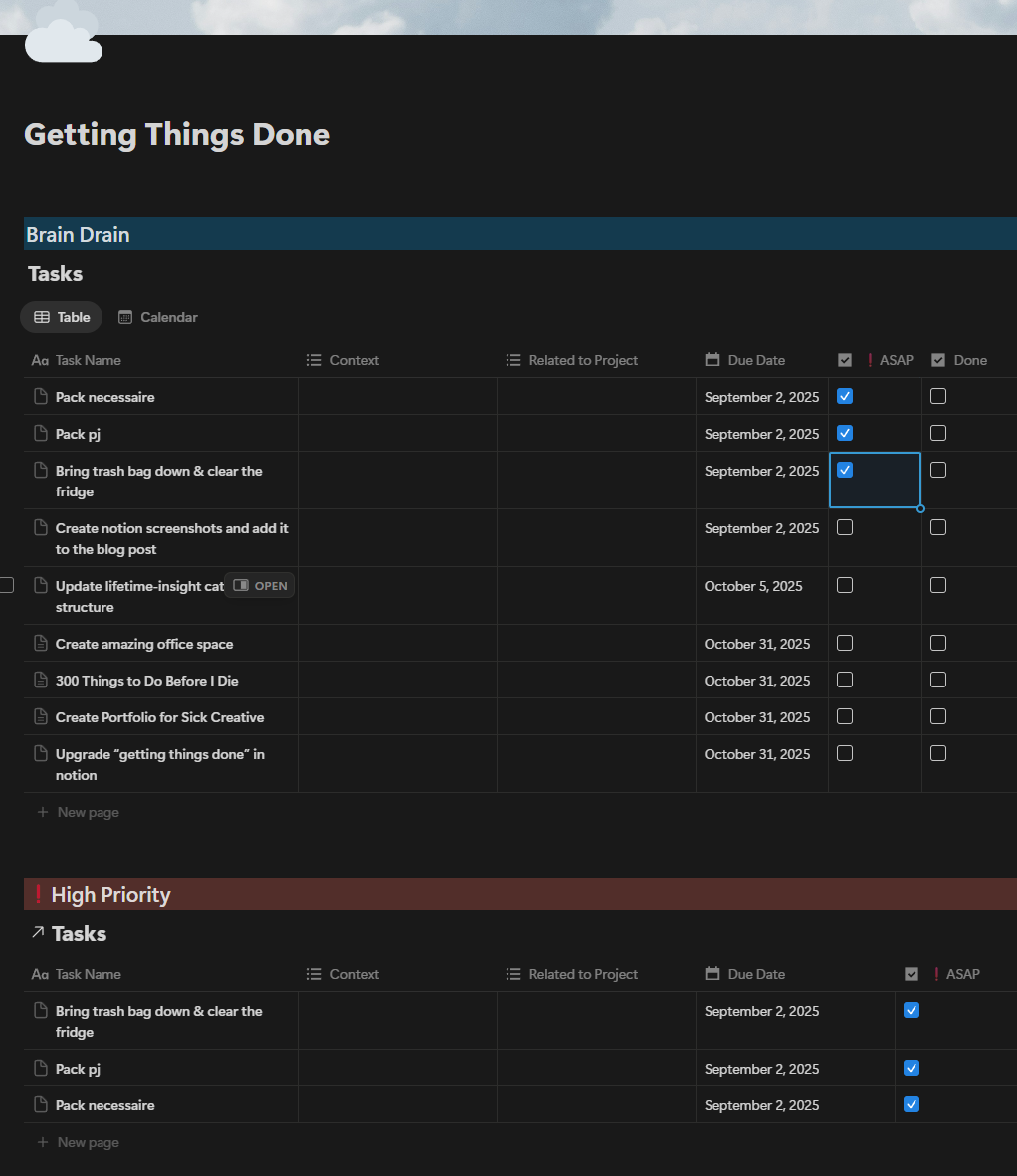
This is my to-do list for everyday tasks. I’ve always been a fan of to-do lists, as they are a simple reminder not to forget important tasks, and I use mine exactly like that. The main area is what I call the
“Brain Drain,” where everything that comes to my mind that I’ll need to do at some point gets added. For every task, I add a context to it, which tells me if I should do it at home or outside, on my laptop or my phone, or if it’s a task for when I have low energy. I also add a related project if there is one. For example, if I need to create a thumbnail for lifetime-insight, I’ll add “lifetime-insight” as the related topic. I can also set a due date and use a checkbox to mark a task as important. Further down the page is the organized part of my tasks, including a “High Priority” section for important tasks, a list for “This Week,” and an area for “Upcoming” tasks. Lastly, I have a section for all completed tasks, which makes it easy for me to check what I’ve done if I search for something specific.
Lifetime-Insight:
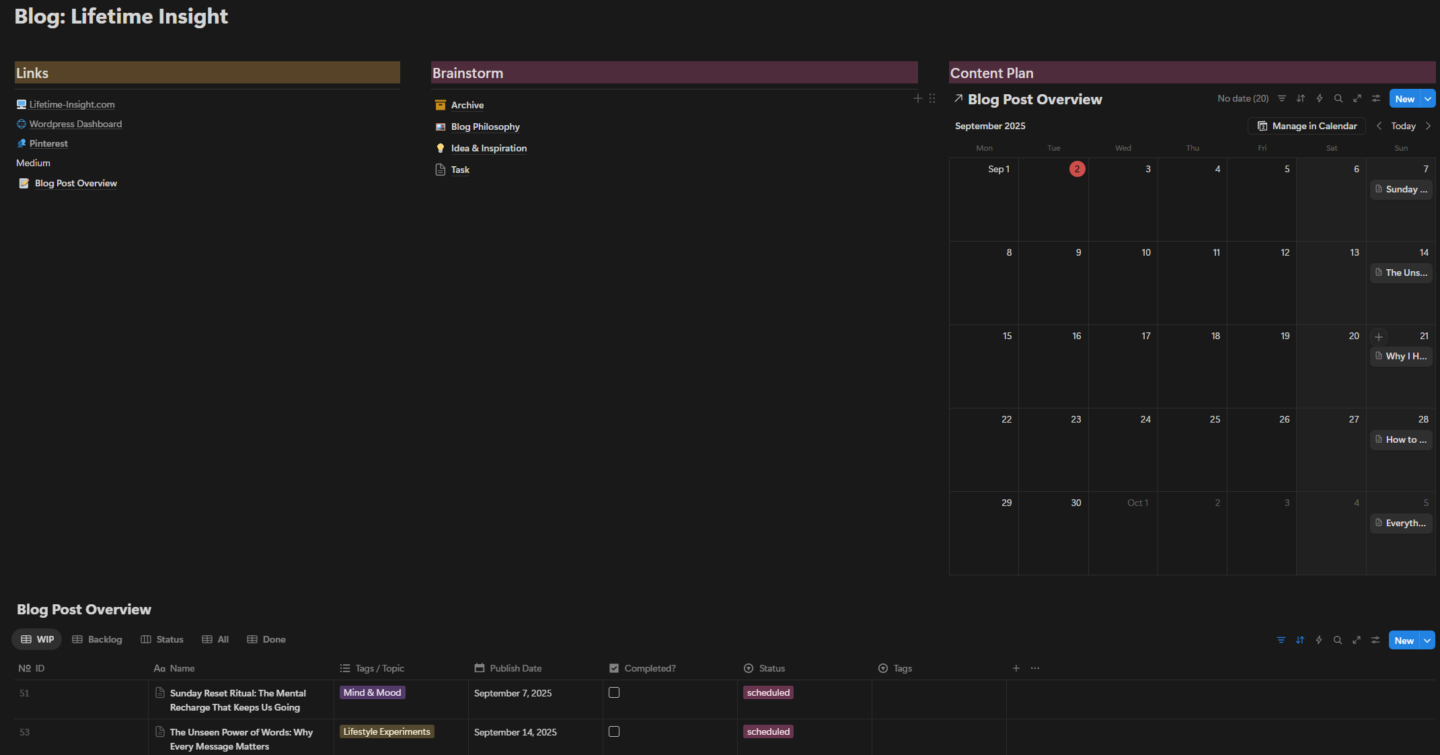
This area in my Notion account is where everything about my blog has its space. The blog philosophy, the ideas and inspiration, the scheduling overview, and all our drafts or already published blog posts are sorted and categorized by publishing date. This helps me easily know what blog post or what task I have to do next and allows me to always have an overview of the status of each blog post, because sometimes I write on more than one simultaneously.
Every blog post has its own status, which could be “Draft” or “Idea” up to “Proofreading,” “Scheduled,” or “Published”. I’ve set up different views within the database: a list view with all the current blog posts that are not yet published, and a calendar overview to see on which day a blog post should be ready to publish. This allows me to have a visual overview without going through all the blog posts individually.
Travel Around the World:
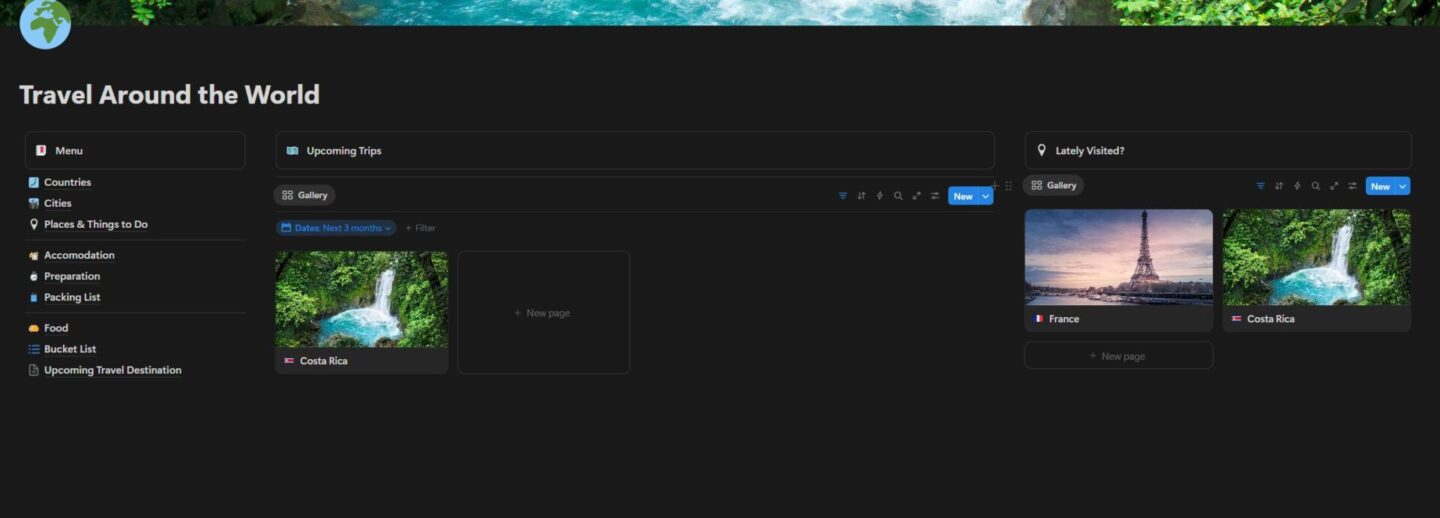
I started this area when I was on my Central America trip. It’s a place where I save information about all the places I’ve been with useful details about travel restrictions, entry documents, and other helpful things. When I’d already done research, I was able to save the most interesting places directly into the specific country’s page so I would never lose that kind of information. I also created separate pages with bucket lists, packing lists, and food I want to try in every specific country. It covers both visited countries as well as upcoming trips.
Yearly Planning:
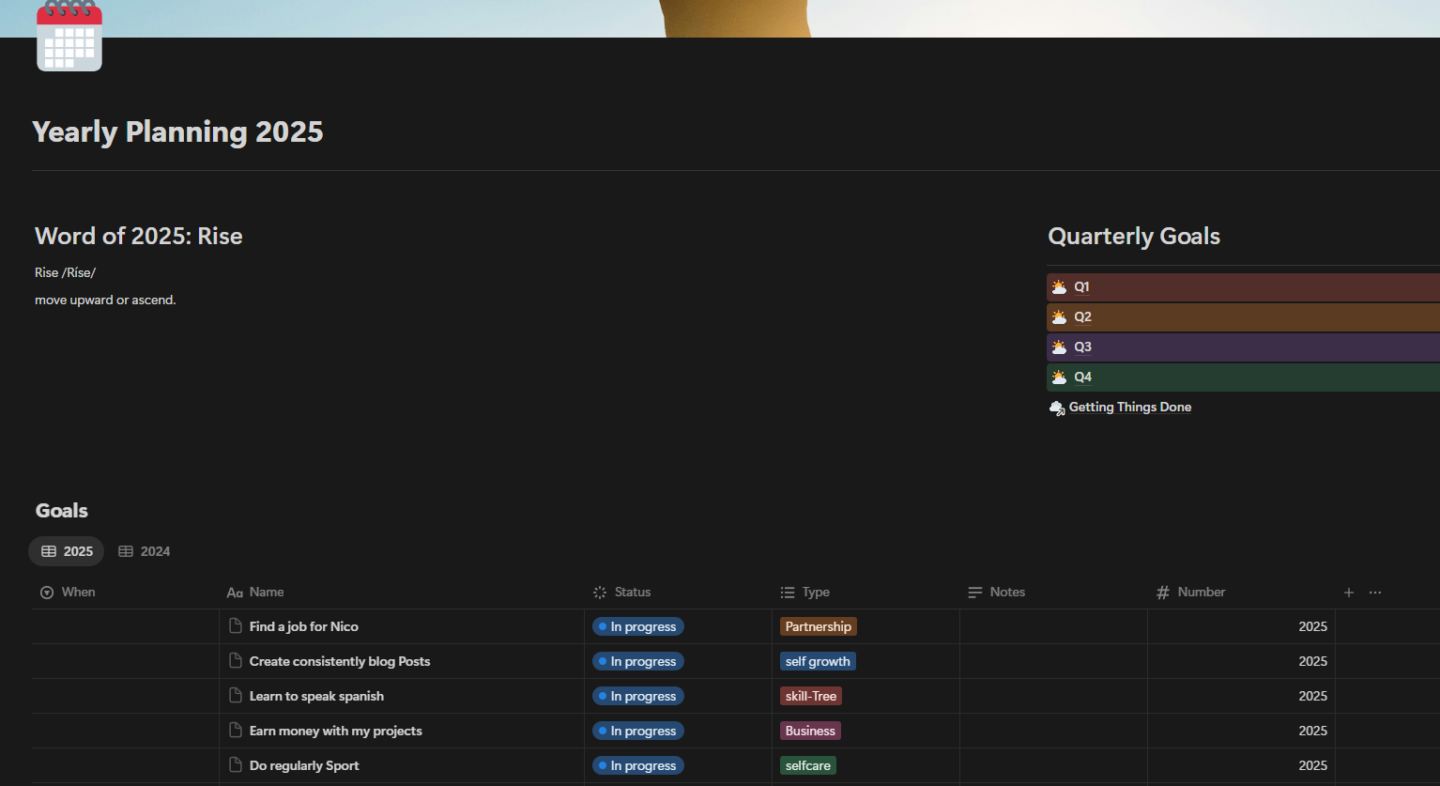
I’ve set this up to set goals and track habits for each year. This allows me to track all my goals for each quarter and each month. I haven’t given this section enough attention lately, since I started using a physical notebook for my habit and goal tracker. I’m currently thinking of a hybrid version where I save the information from my physical notebooks into Notion to make sure those insights don’t get lost.
Content Map & Film/Photography:
I’ve created a content map for when I have great ideas for a short film, a YouTube video, or a photography project. I usually write down my ideas first before I start filming or taking photos of a specific project. For a specific project, like our first music video, I use this area to make sure I have all the information and shoot details ready, so I don’t forget anything important when we’re on location.
Book Writing:
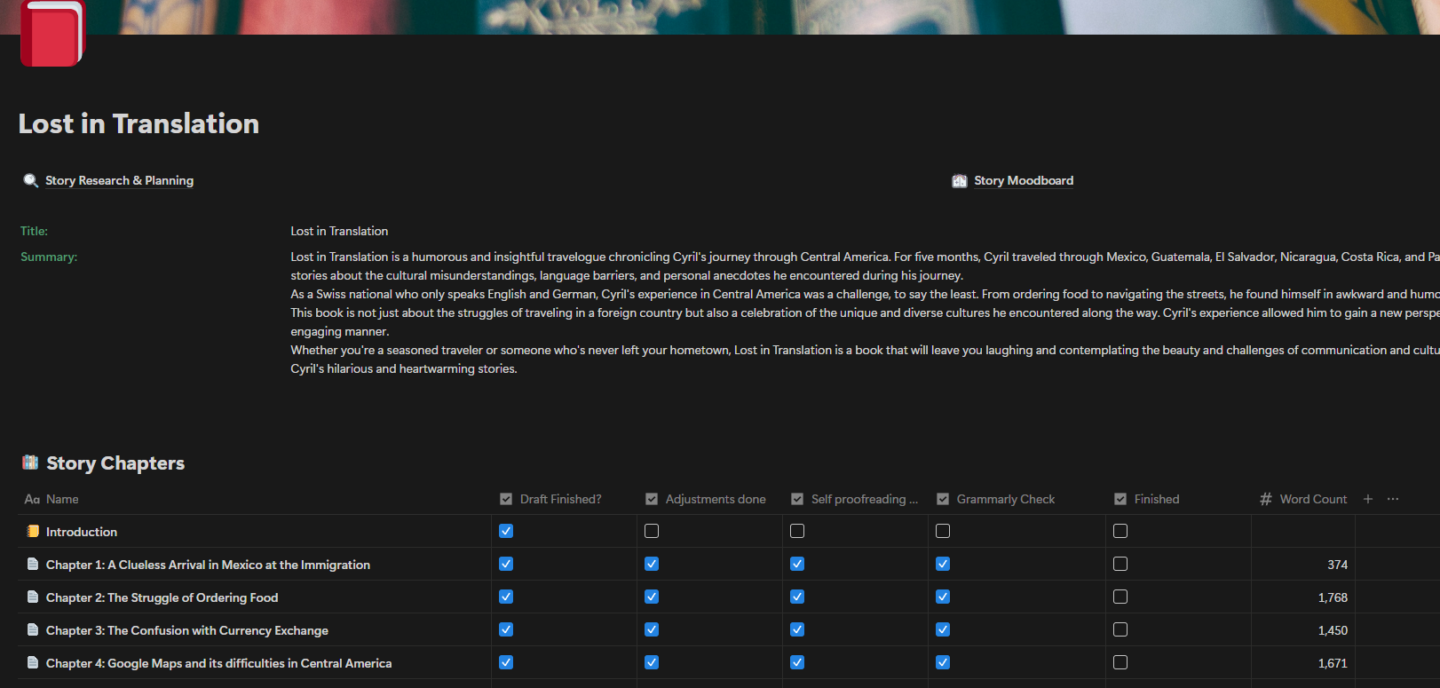
I was much more active in this section two years ago when I published my first book, Lost in Translation. I started to love writing longer texts than just a blog post, and this area holds other drafts and ideas that could lead to a future book. For the moment, there’s not an active project here, but I’m sure that I will write another book; it’s just a question of time and ideas.
Personal
Brainstorming:
There is a space specifically for project ideas or just general brainstorming. Every little thought could land in this area. It might be a good idea for a project, or an innovative thought, or even a new way of doing something. But it could also be just useless, random words that I look at the next time and think, “What the hell was I thinking there?”. That’s why it’s called brainstorm, because everything ends up in that place.
Daily Reflections:
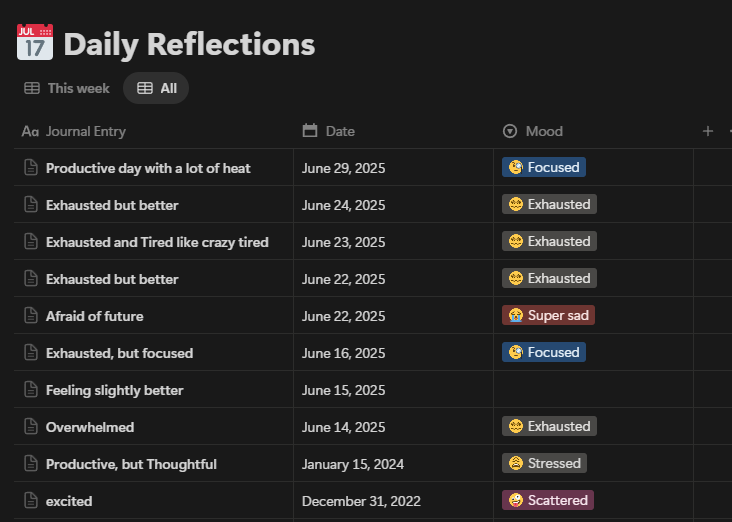
I used to do daily reflections in my Notion as well, but I didn’t do it regularly and I stepped away from the digital to a physical notebook to do my journaling hand written. This way, I got a lot more consistent writing my journal entry every day and also practiced my handwriting, because let’s be honest, it was and is still terrible.
Routines & Self-Care:
I used to use this space to write down routines and self-care routines that I wanted to follow. But I realized that it is more difficult to follow those routines than expected and routines change and get interrupted. Therefore, I also mixed this part together with the habit tracker I have in my physical notebook.
Letters:
I used to write a lot of letters, especially when I was in a long-distance relationship. I still write some letters from time to time, and in this section, all the ideas and drafts are saved. A place where I put really special words to paper, or in this case, to the digital database. Words and letters that are for very special people in my life. In my opinion, it is important to write letters as it gives words way more meaning.
Gym Schedule:
I also have this thing called “Gym schedule”. This is a short part, because I never used the gym in my life. But it is more for my physical goals, so maybe I should rename this part into something else, like “Sports schedule” or “Goals,” where I can track my fitness goals and where I can set my limits and also see what I’ve achieved and what is next to achieve.
Business
My Bio:
This part is not necessarily about finances, but it is about my career and my skills. I wrote my own Bio where I can see my soft and hard skills and my strengths and weaknesses. I want to have this always up to date, when I learn something new, as it gives me a good picture of what I’ve already achieved and what I learned. Especially in phases where I feel down and depressed and doubting myself, then looking at this overview definitely helps to see that I actually did something in my life. The important thing is to update this part from time to time, and I know now it should receive a little bit more love. It is like an ability tree or a skill tree as we know it from games.
Accounting:
This is a draft at the moment. I thought I could put my financial situation onto paper, with monthly savings and an overview of my expenses. This helps me know where my money is going and identify spending that is not necessary. This gives me a long-term overview and I can calculate what I’m about to save in a few years, which is a great tool for planning my future and seeing how long I might need to save to buy a house or any other long-term investment.
Potential income streams:
This is just a very short page. As we are living in a fast-moving world, I thought that it is not good to rely on only one income stream. Next to my 9-5 job and lifetime-insight, I want to create more income streams over time, which is why I also have all the other project databases.
Lists
This might sound funny, but I have a list with all my lists. These are lists that are important to me or lists that are helpful, or just information that I don’t want to lose. It ranges from an easy program or app list to a crazy long list of places where I want to go.
Places to visit:
I started to create this list as part of my blog, because I wanted to see more places within Switzerland and I wanted to write about them. I wrote down a lot of places in Switzerland where I want to go and that I want to take blog posts about it. I’ve covered the destinations, the dates of visit, the travel time it takes from my home to get there, and a tag with categories like “hiking,” “mountain,” “city,” or “river”. I also used a status field to check if I already visited that place or not.
Recipes & Meals:
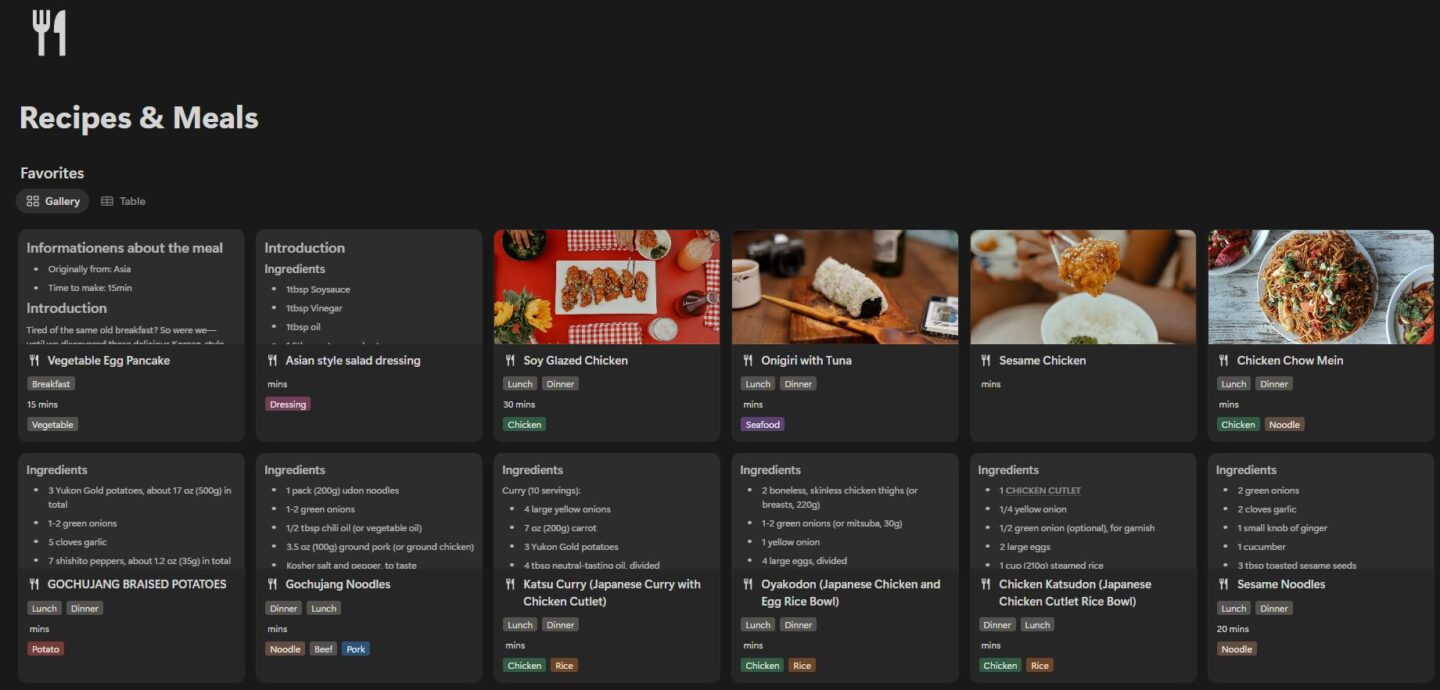
As the title already says, this is a list with all my favorite meals and recipes. I love to cook and I love to try out new dishes, and my favorite ones I want to save in case I want to recreate them again. All the recipes that I did or that I saw on TikTok or YouTube, for example from the amazing “Aaron & Claire,” are saved here, always ready for me whenever and wherever I need them.
Wish list:
Sometimes we just want something, but we are not ready to buy it. Then it takes its place on this wish list. As I’m a person that cares a lot about money, I love to save on products, so this list also covers the original price, the paid price, and the actual savings, so I can always see what I was able to save. I can even do a yearly overview to see how much money I saved on products that I bought just because I waited until they were on discount.
300 Things to Do Before I Die:
I once saw a TikTok video where someone created a list named like that, and I really liked the idea. So I started to create this crazy list with any kind of things I want to do before I die. This can be something super simple, like helping someone, or something crazy, like diving with whales. It’s a list where it doesn’t matter how far away from the current situation a dream might be; it should still be written down.
This list helps me keep going, have a goal, and know what I want to do. When I feel lost, when I feel down, or when I feel without direction, looking at this list helps me to find my way back to where I want to go. The list is also divided into different categories, like adventure or family. I don’t have 300 things yet, but I’m getting there. My plan is to print it on A3 paper and hang it in my apartment once I reach 300 items, so I always see my goals and my dreams and don’t forget to do those things.
Desktop App & Browser Favorites:
This list isn’t fancy, but it makes my life way easier when I have to set up a new device. With this list, I always know exactly what apps and which browser favorites I need to install.
Playlist:
Last but not least, I have embedded a playlist of my favorite album. This is to always be sure to have the right music and the right mood when I work in Notion. My current favorite album is from Odesza,
The Last Goodbye (Deluxe), and it hasn’t changed in years. It’s always my go-to music when it comes to productivity.
Finding Clarity and Purpose in My Second Brain
So why do I have all these things, literally my whole life in Notion? It gives me a simple way to have everything in one place, keeps me going and gives me an overview. It is my helping hand, and I always know what I need to do next or what I want to do. I know where I want to go in life and what I want to achieve. I know which skills I’m missing and what blog post I want to publish next.
Notion is my second brain, and it has all the information I need to work productively and efficiently. It has all the information about
my whole life in Notion, and it helps me to keep going. When I’m happy, when I’m sad, or when I’m depressed, I know where to go and what to do to feel better. It helps me to reflect, to plan, and to actually do. Notion gives me the power of organization and the power of knowing where to go and what to do when I’m lost. It helps me to find myself when I doubt myself. I use it every day, and I couldn’t live without it anymore. It truly is my whole life in one place.